
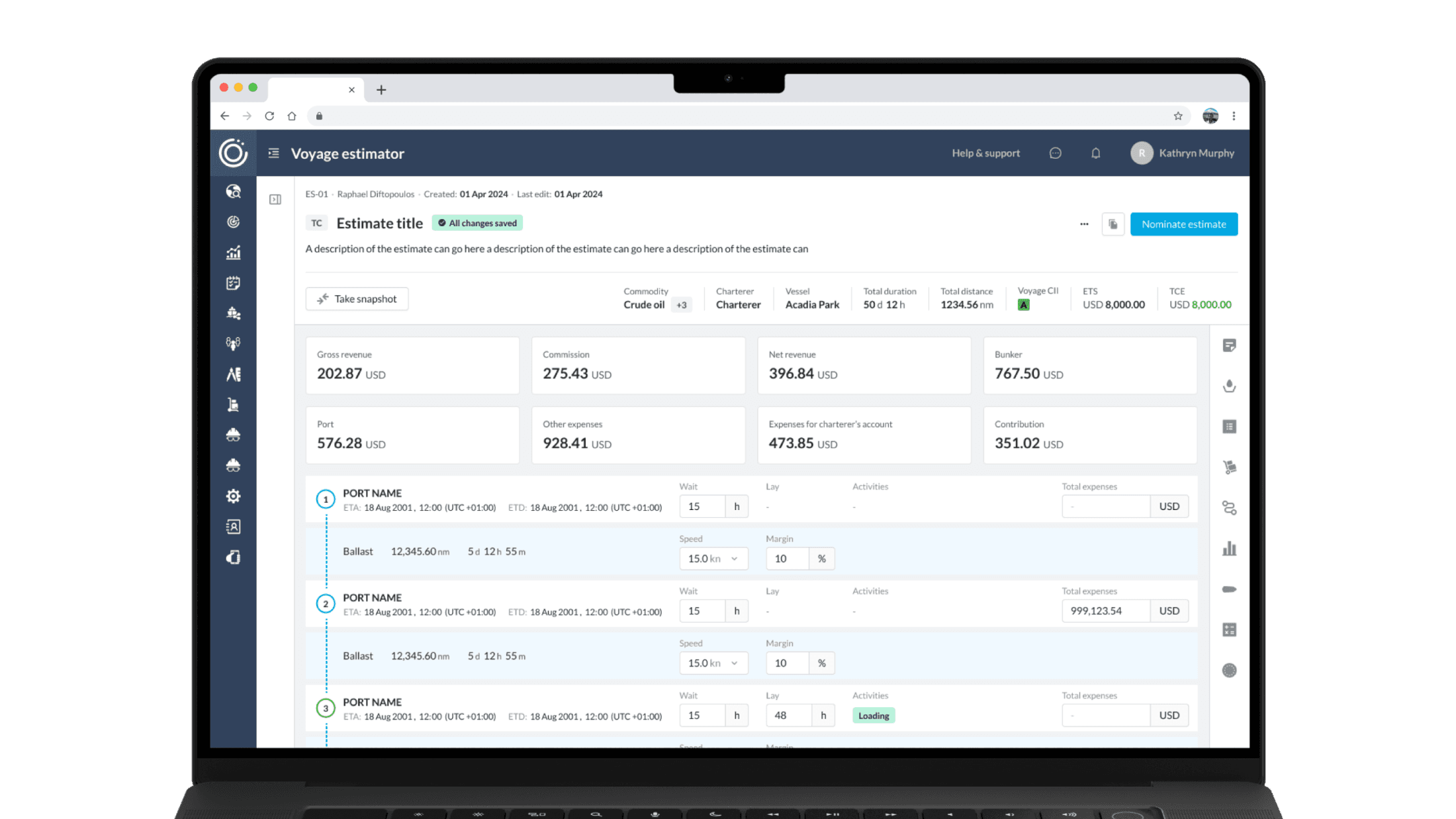
Turning Complex Estimations into Clear Decisions
How I redesigned a core voyage estimation tool into an intuitive, data-driven workflow that drove 400% adoption, 200% higher engagement, and streamlined decision-making.
DOMAIN
Maritime SaaS
TIMELINE
2023 - 2024
MY ROLE
Lead Product Designer
TEAM
6 Developers, 1 Head of Product, 2 PMs
CONTEXT
90POE set out to build OpenOcean STUDIO, a next-generation SaaS platform for shipowners and operators. A critical gap was the Estimator, where fragmented workflows and third-party reliance limited adoption. I led the redesign of this core module, aligning with business KPIs and user needs to make it central to the platform’s value proposition.
PROBLEM
Fragmented workflows on Estimator
Complex Navigation
Users struggled to find key functions quickly
Data Overload
Users felt overwhelmed by unnecessary metrics
Inefficient Input Process
Long forms caused errors & friction
SOLUTION
Expandable Dual Navigation
Estimator Workspace
Plan, adjust, and compare voyages in a KPI-focused layout.
Estimates List
Browse, search, and filter all voyage estimates in one place.
Advanced Tools
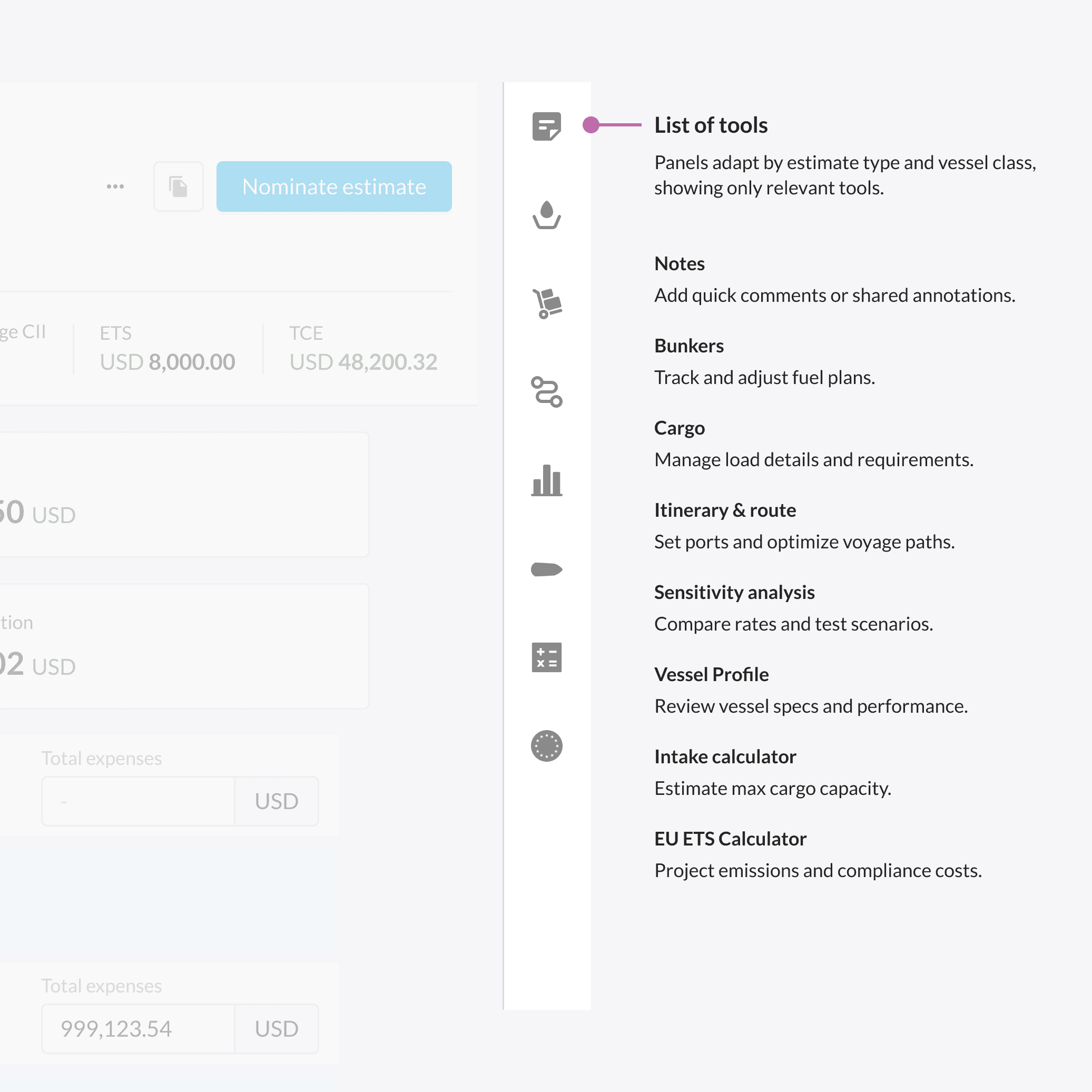
Open benchmarks, analysis, and vessel insights in a side panel.
OUTCOMES & METRICS
Driving Adoption and Proving the Value of a Unified Estimation Tool
The redesign transformed Estimator into a high-adoption, data-driven product. Usage soared as teams replaced manual spreadsheets with a single, collaborative platform that accelerated planning and decision-making.
400% increase in adoption
Maritime teams fully migrated from Excel.
200% higher engagement
With users actively exploring advanced voyage insights.
Improved data confidence
Stakeholders trusted shared estimations as the single source of truth.
Faster collaboration
Multi-role workflows reduced back-and-forth and manual entry.
“ We found that the dynamic Voyage Estimator capability, which we’ve very much constructed with 90POE, allows us the visibility to assess which options we’re going to trade into — not only on a vessel basis but very much on a book basis. We can see all the different ships within the different classes and assess what we consider to be the best option and the best decision. ”
– A. D. , Director of Chartering
USER NEEDS
Research Insights: Breaking Down Estimator Complexities
Working with PMs, data analysts, and maritime operators, we conducted discovery sessions and usability tests to uncover why the Estimator wasn’t adopted. These insights directly informed the redesign:
I can’t trust the numbers
Without transparency into assumptions and vessel performance, operators double-checked data in Excel before making decisions.
Nearly every user stressed that data trust
and visibility were the single most important factors for adoption.
It takes too many steps to get an estimate
Users jumped between multiple tools mid-workflow, from spreadsheets to third-party calculators.
Many chartering managers described this
constant context switching as their biggest source of frustration.
There’s too much information on the screen
Scattered inputs and dense layouts created confusion, especially for new operators.
Several interviewees noted that simplification
and clarity were key to making the tool usable in real-world scenarios.
Sometimes I just need a quick answer
Some users needed a fast calculation, while others required detailed voyage simulations.
Most operators emphasized the need for flexibility: a tool that could scale from quick checks to in-depth modeling.
INSIGHTS & PROJECT ALIGNMENT
Translating Needs into Targeted Solutions
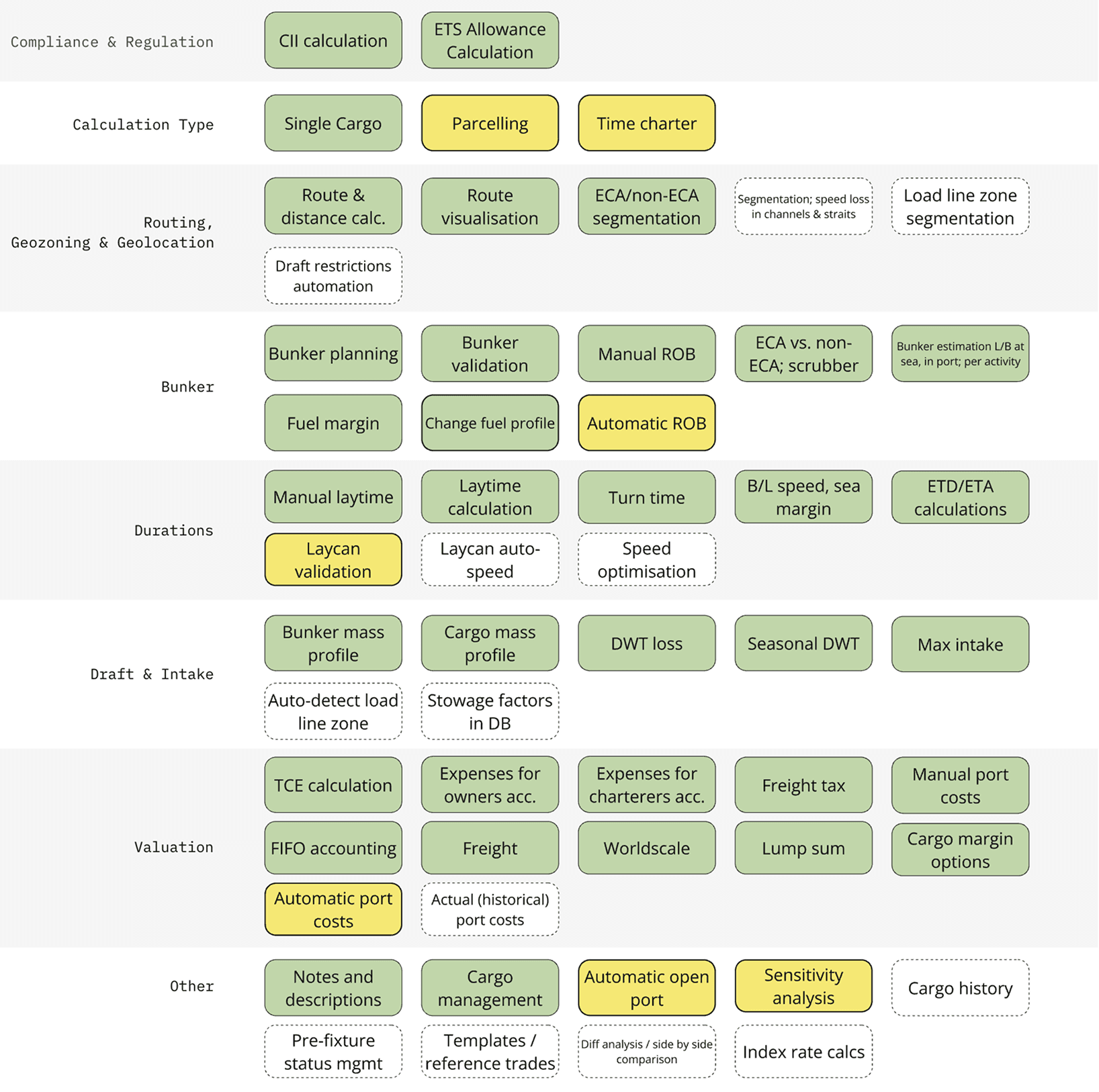
Our research showed that estimation workflows varied significantly depending on contract type and vessel type. To make the Estimator truly useful, we had to align it with these real-world contexts while also meeting business priorities.
👨✈️
Voyage Charter Operators
Focused on estimating single voyages, requiring flexibility in route planning, fuel costs, and quick “what-if” scenarios.
📊
Time Charter Operators
Managing long-term contracts, they needed features to model recurring costs, daily hire rates, and vessel performance over time.
🚢
Vessel-Specific Roles
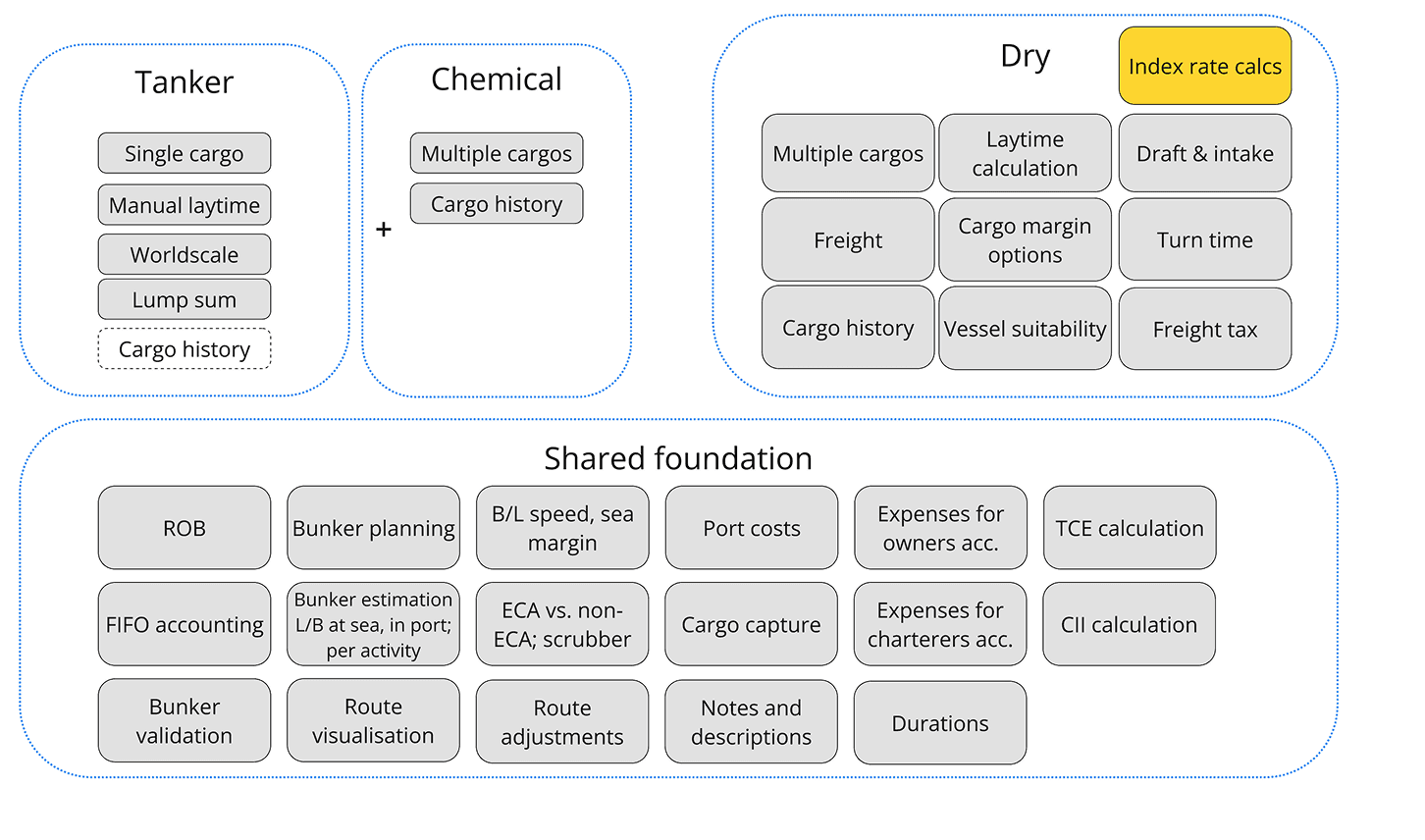
Tankers, bulk carriers, and other vessel types each demanded unique inputs (cargo type, port restrictions, fuel blends) to ensure accurate estimates.
💡
Business Alignment
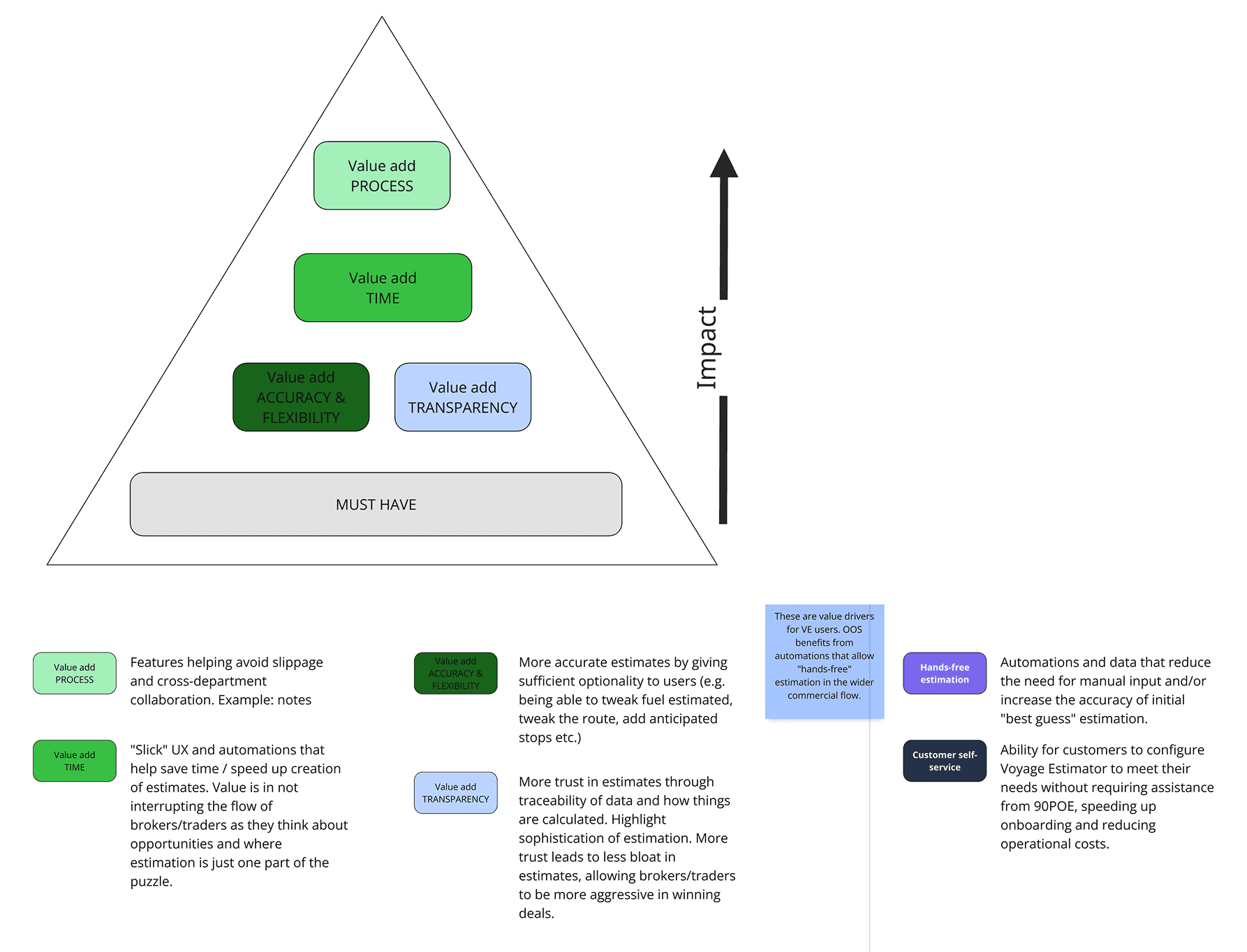
We mapped high-friction tasks against business value to prioritize workflows that delivered the greatest impact for both users and the platform.
⚙️
Dynamic Customization
The Estimator adapted automatically to user role, contract type, and vessel responsibilities — reducing clutter and surfacing only the most relevant inputs.
EXPLORATION
Defining the Foundation with PMs and Product Leadership
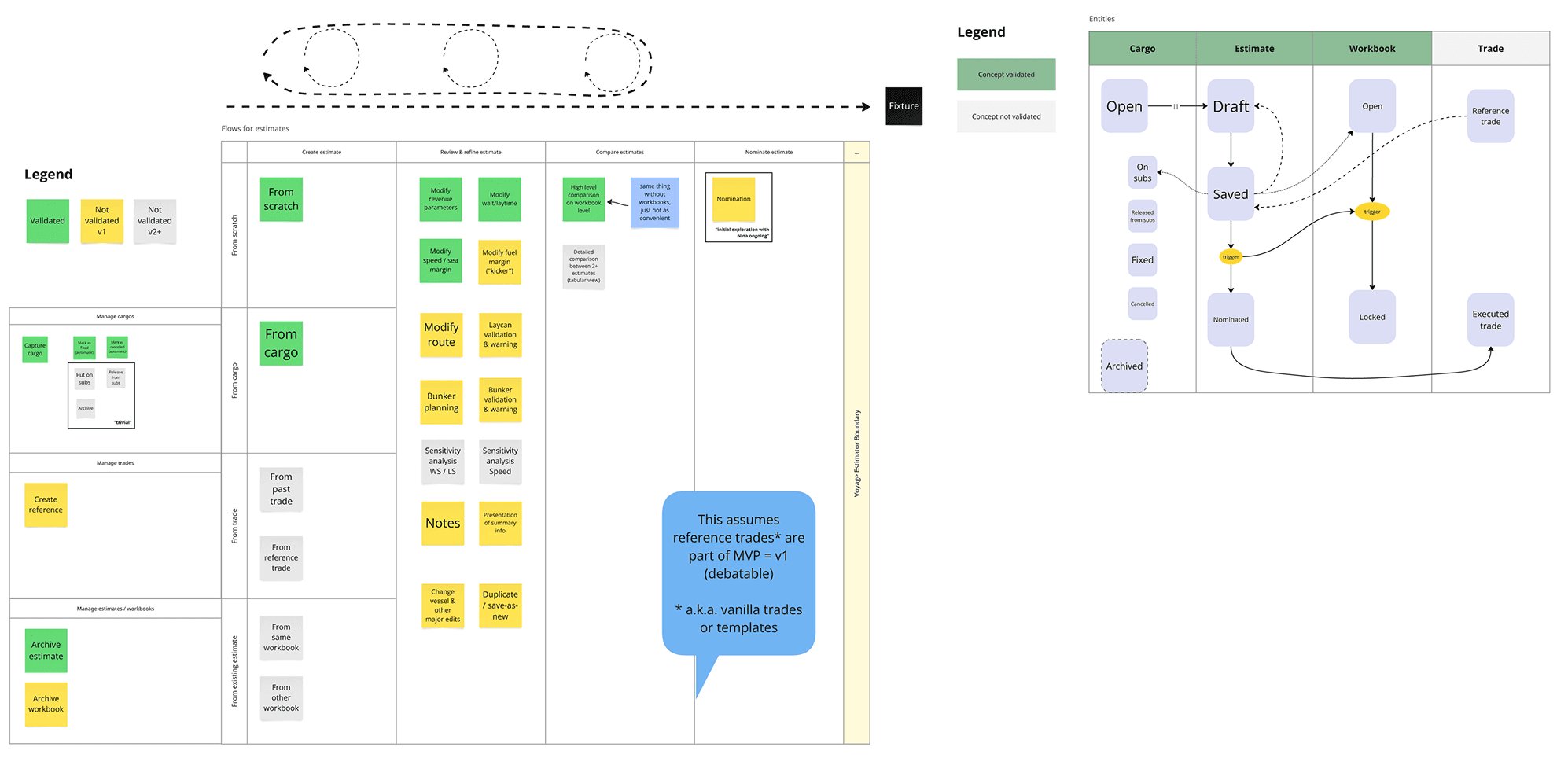
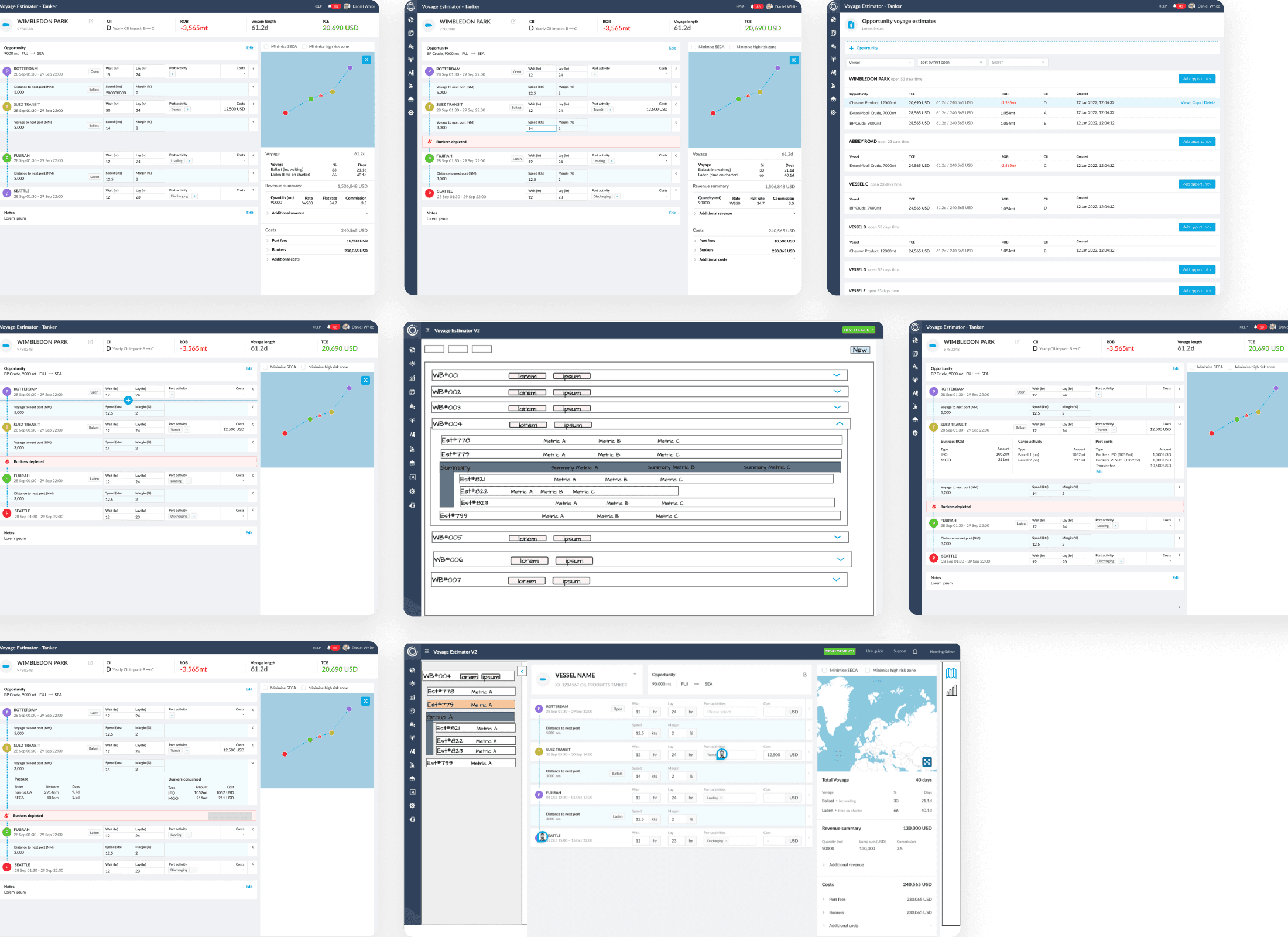
We began with low-fidelity wireframes to identify missing functionality, clarify navigation, and validate flows early. Close collaboration with PMs and the Head of Product ensured that design decisions aligned with business priorities and system constraints.
The shared goal
Surface critical voyage KPIs in context — demonstrating how operational changes directly impact business outcomes — while keeping workflows scalable across contract types and vessel responsibilities.
KEY UX DECISIONS
Arriving at a KPI-First, Modular Layout
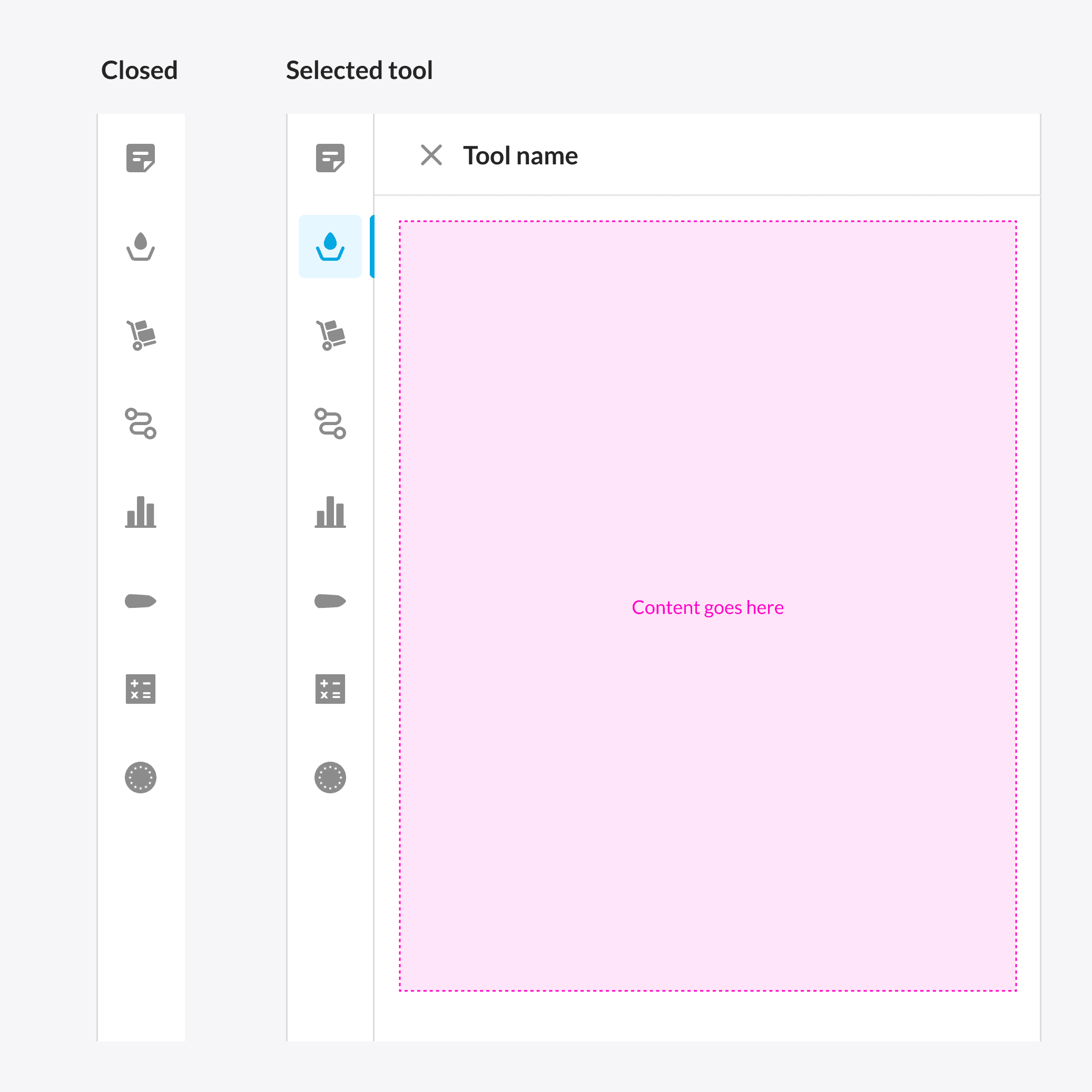
Collapsible Sidebar for Advanced Tools
Allowed operators to refine voyage details without cluttering the main interface.
Essential KPIs on the Main Screen
Kept the interface focused on decision-critical insights, with advanced data available on demand.
Guided Step-by-Step Input Flows
Replaced long input lists with structured steps, reducing cognitive load and improving accuracy.
Role and Context-Specific Views
Inputs and KPIs adapted dynamically to the user’s contract type and vessel responsibility, ensuring relevance without noise.
FINAL DESIGN
The Estimator: Refined, Tested, and Scaled
After multiple design iterations and validation rounds with operators and PMs, the Estimator evolved into a clear, data-driven workflow that made voyage planning faster and more reliable. The final design balanced simplicity with depth—surfacing key KPIs upfront, adapting to different vessel and contract types, and providing the flexibility users needed to plan with confidence.





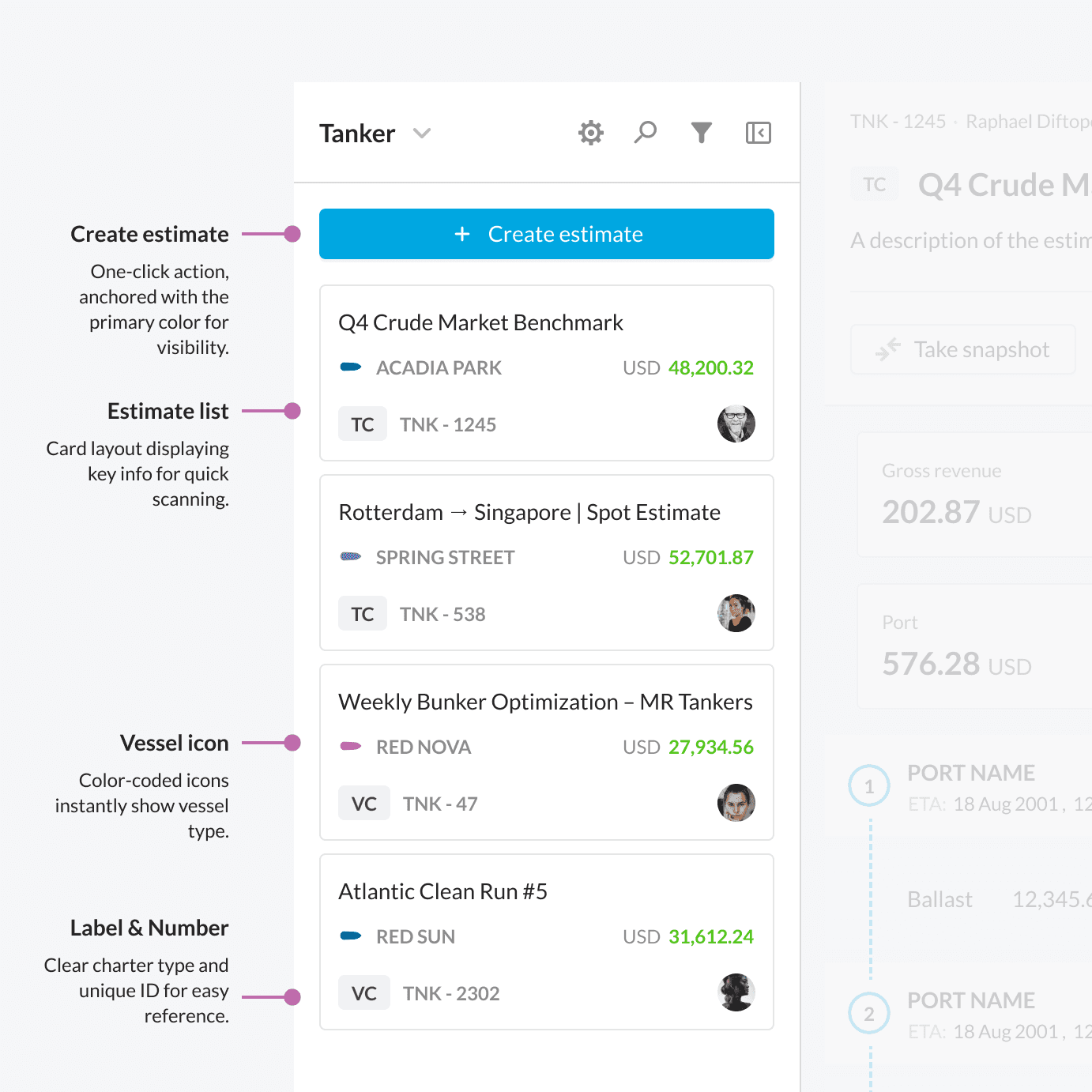
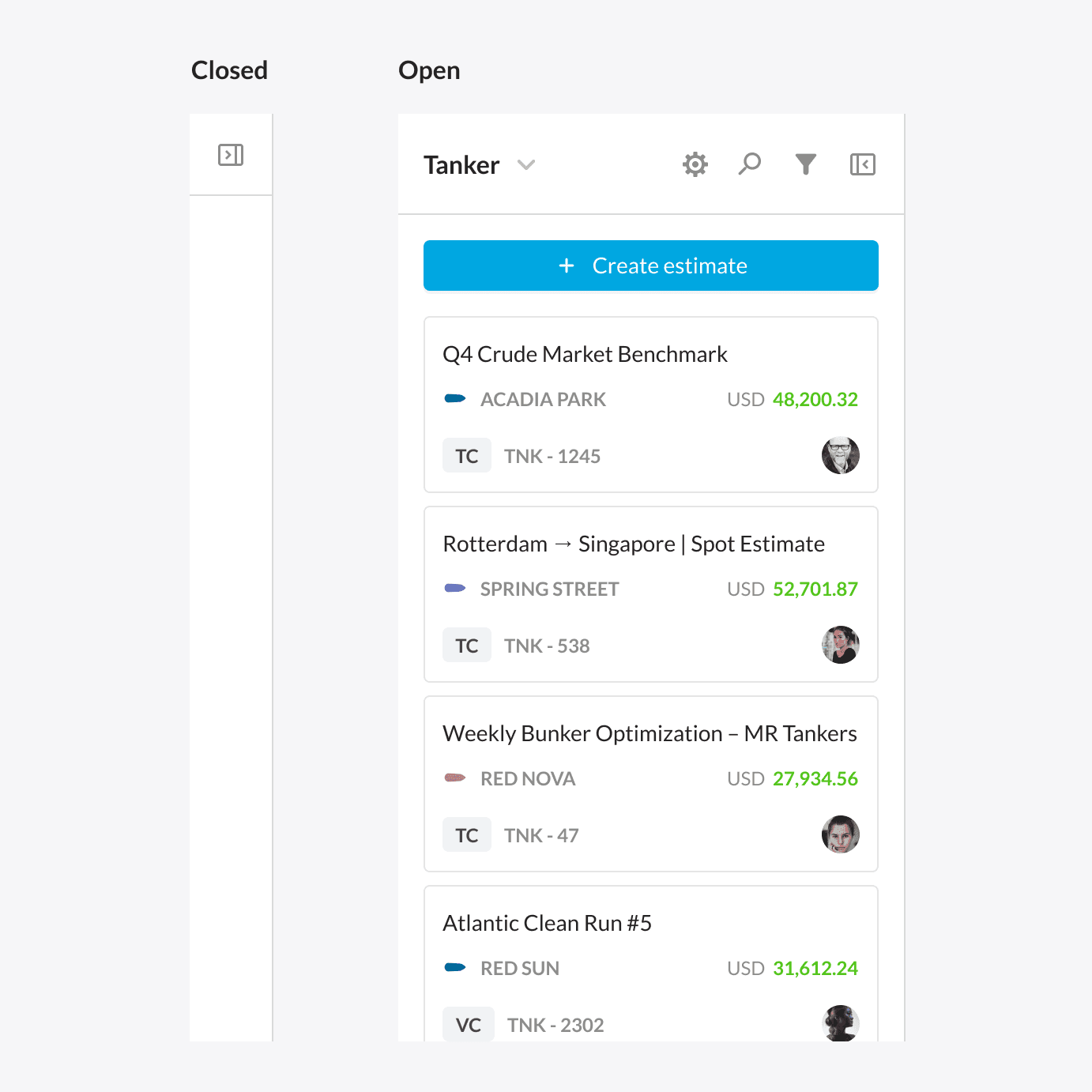
Estimates List
Browse, search, and filter all voyage estimates without leaving the main view.

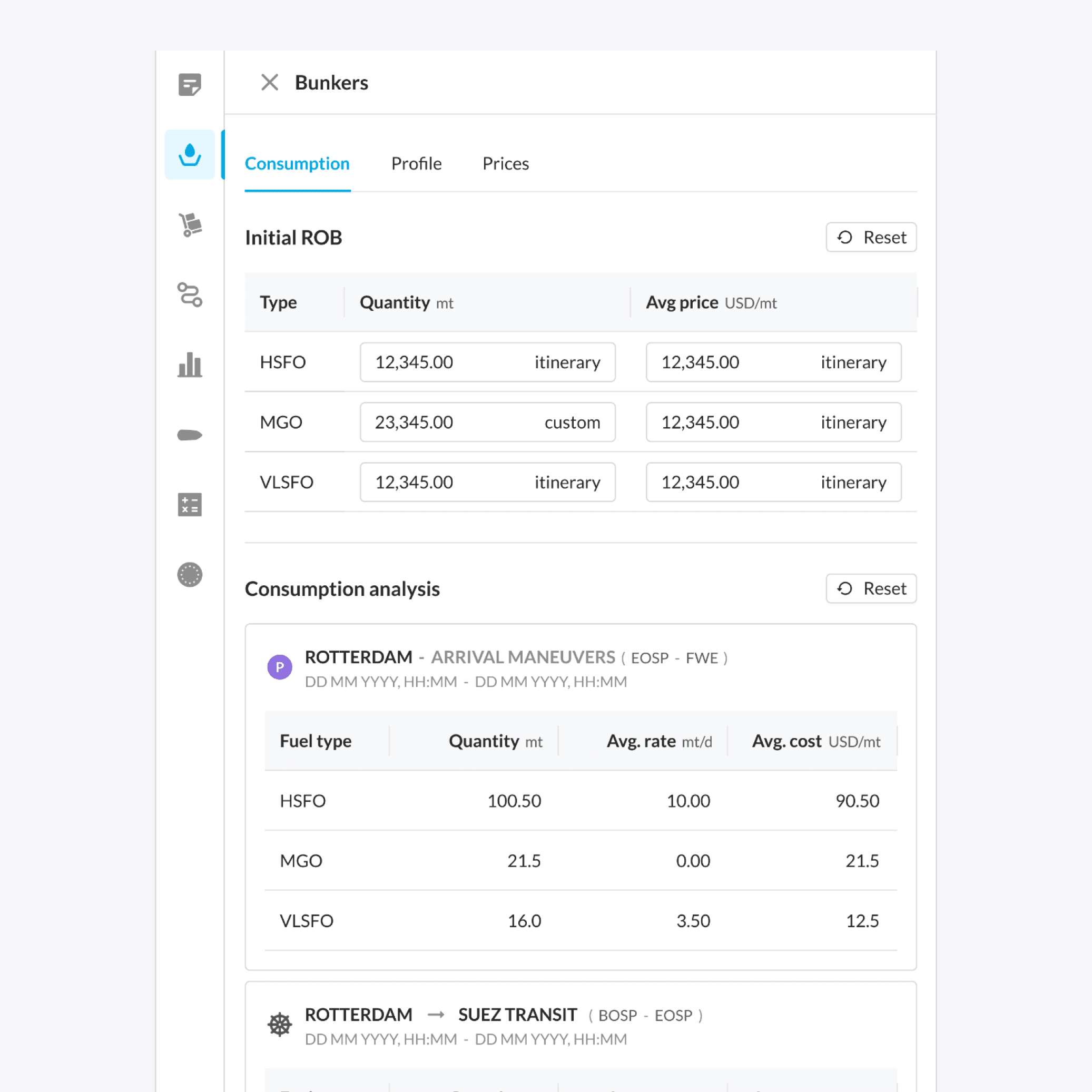
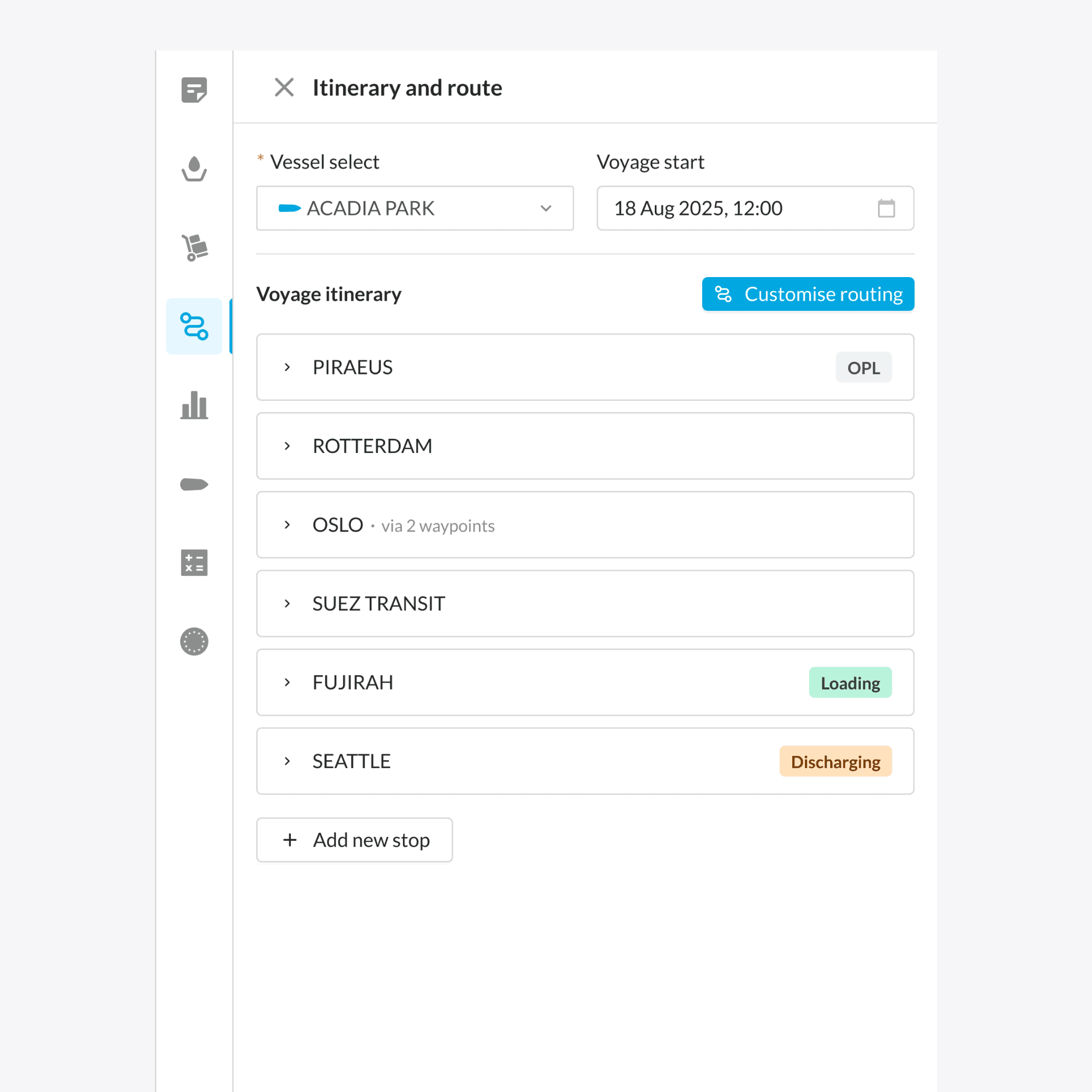
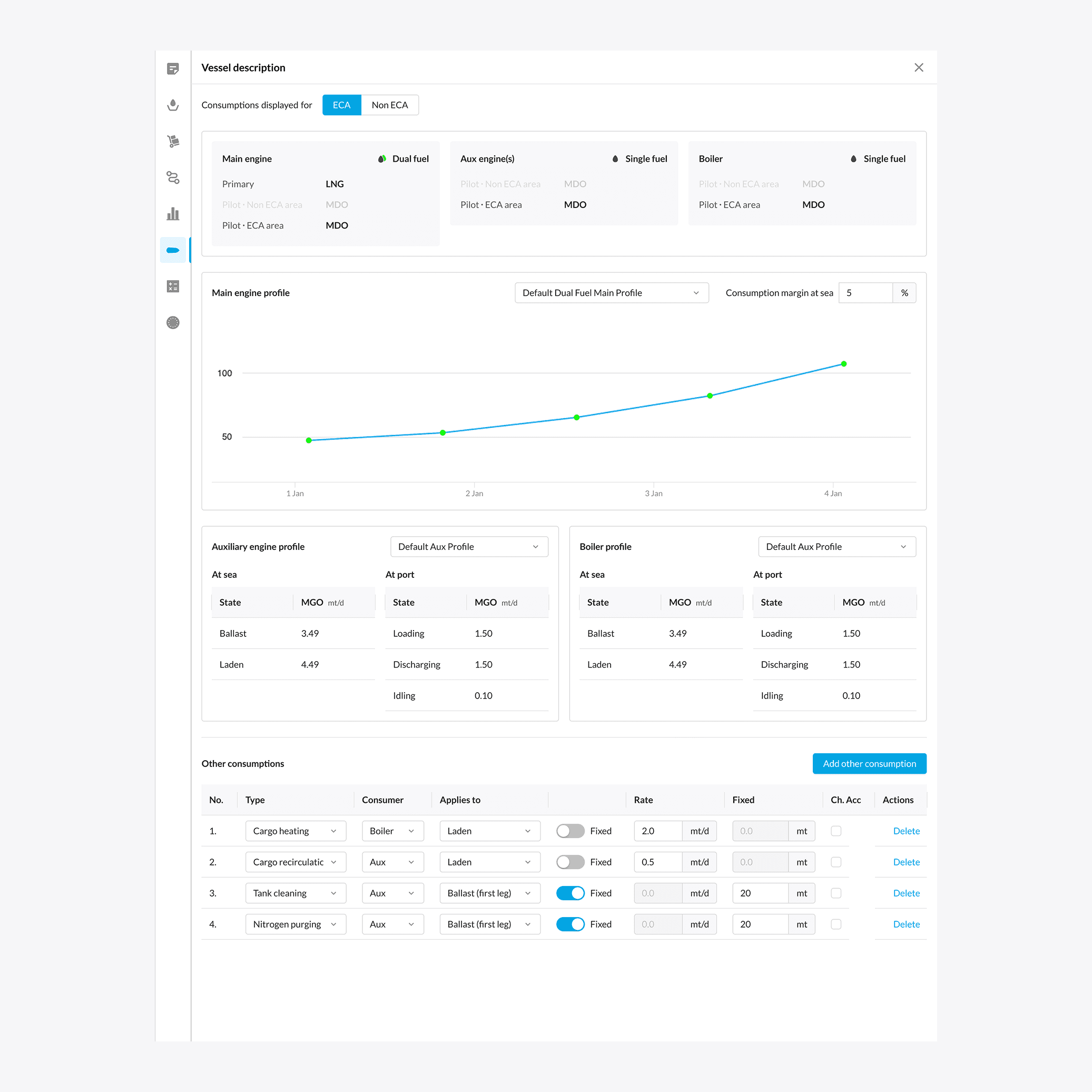
Advanced Tools Panel
An expandable side panel for quick access to benchmarks, vessel insights, and what-if analysis — enabling deeper exploration without leaving the main view.

Estimator Workspace
The main workspace brings focus to voyage inputs and KPIs, allowing users to adjust parameters, run simulations, and review results in real time. It serves as the central view for planning and validation, keeping critical data always in sight.
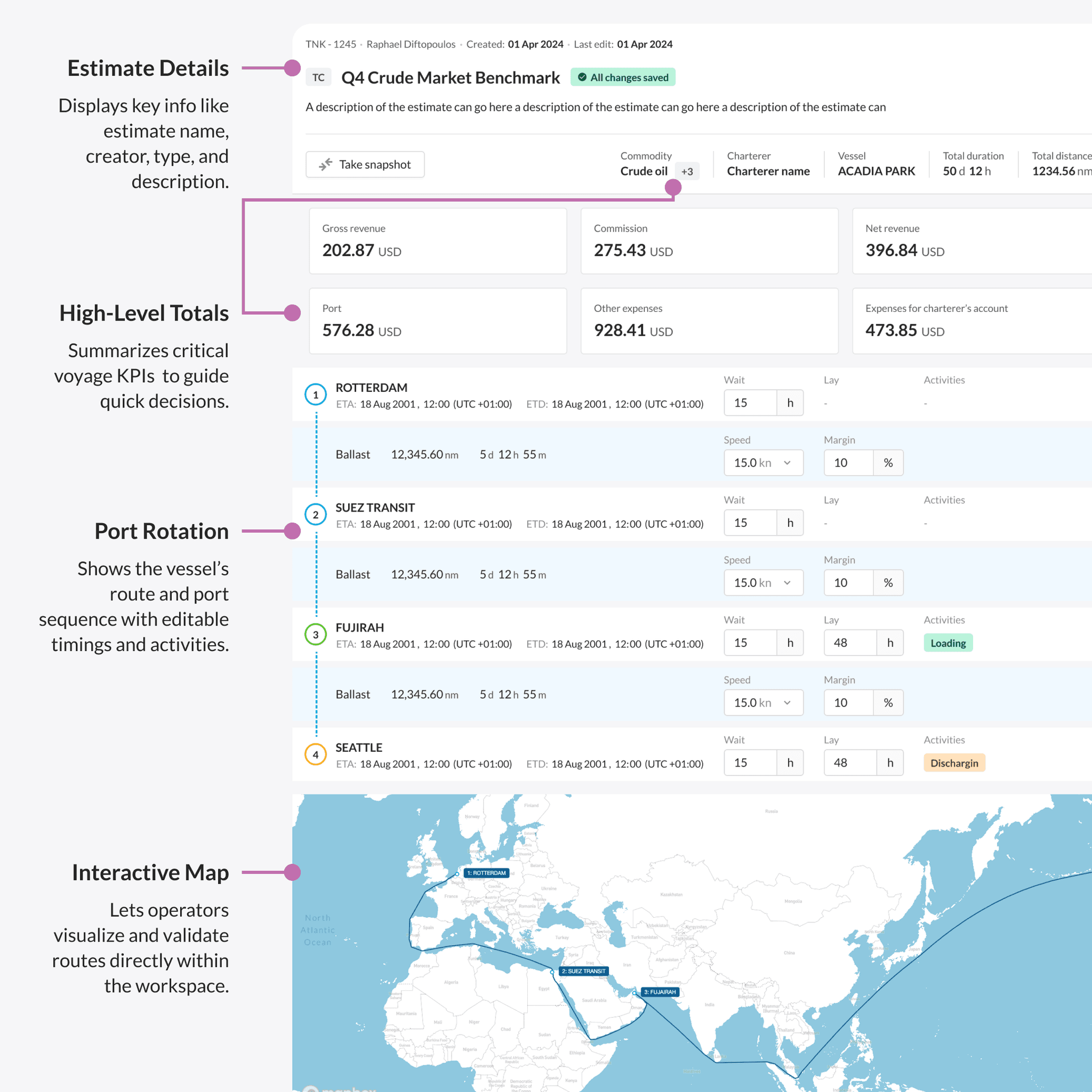
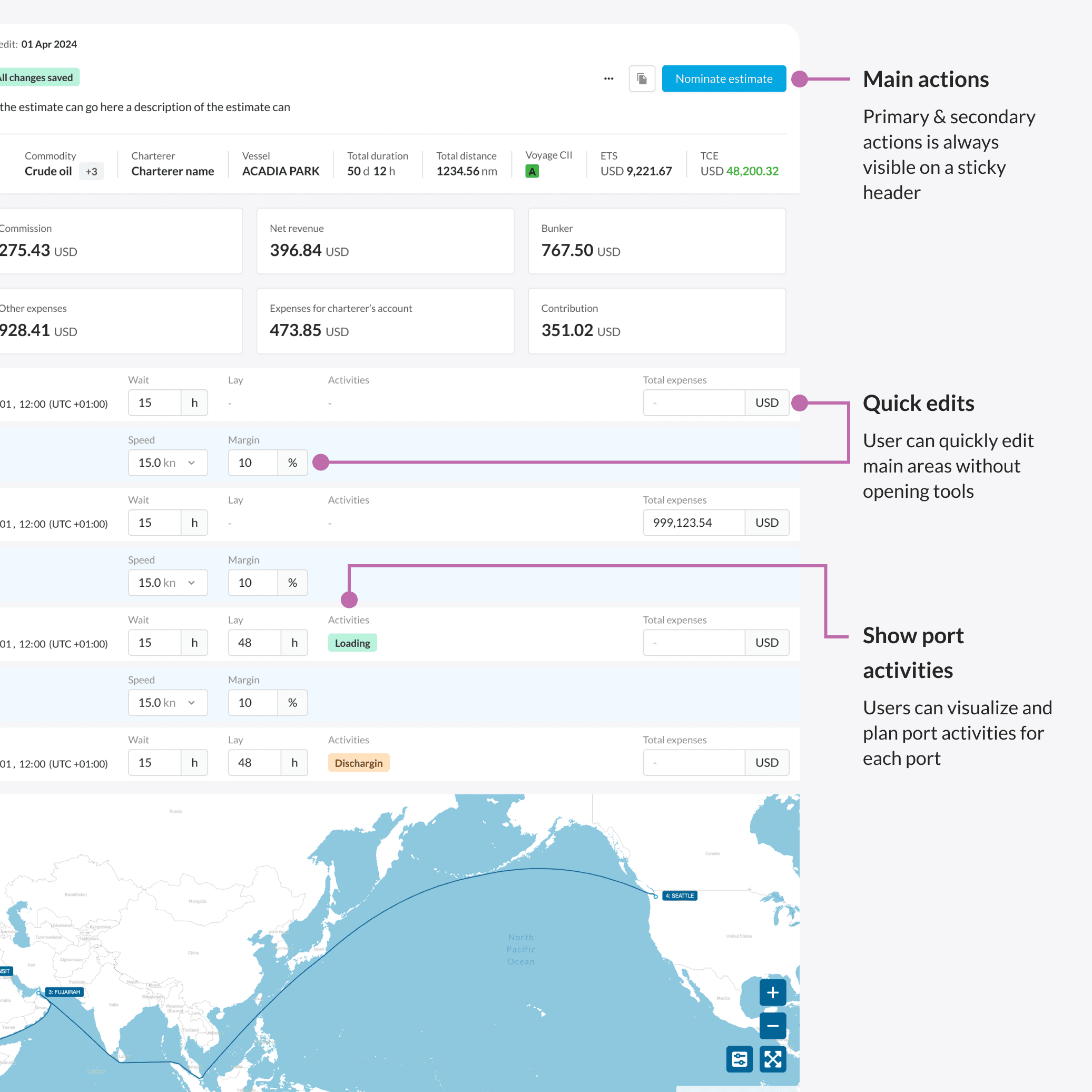

Here’s what that looks like
Panels dynamically adjust based on the user’s focus and current task.

OUTCOMES & METRICS
Driving Adoption and Proving the Value of a Unified Estimation Tool
The redesign transformed Estimator into a high-adoption, data-driven product. Usage soared as teams replaced manual spreadsheets with a single, collaborative platform that accelerated planning and decision-making.
400% increase in adoption
Maritime teams fully migrated from Excel.
200% higher engagement
With users actively exploring advanced voyage insights.
Improved data confidence
Stakeholders trusted shared estimations as the single source of truth.
Faster collaboration
Multi-role workflows reduced back-and-forth and manual entry.
“ We found that the dynamic Voyage Estimator capability, which we’ve very much constructed with 90POE, allows us the visibility to assess which options we’re going to trade into — not only on a vessel basis but very much on a book basis. We can see all the different ships within the different classes and assess what we consider to be the best option and the best decision. ”
– A. D. , Director of Chartering
SELECTED CASE STUDIES
I’m passionate about the power of design to drive innovation and solve real problems.
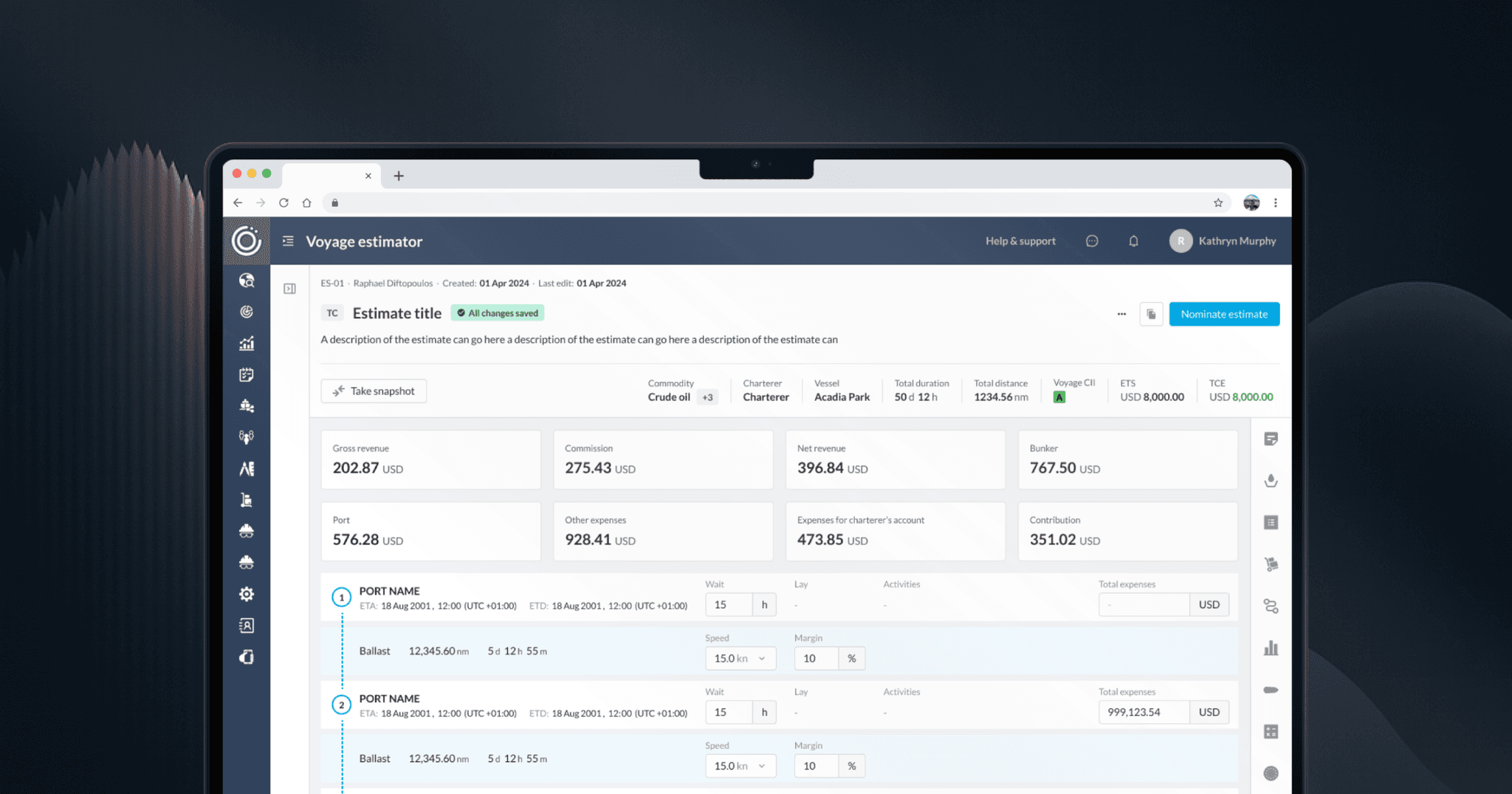
Turning Complex Estimations into Clear Decisions
Replaced Excel-based voyage estimation with a product maritime teams adopted: +400% adoption, 200% higher engagement.
Ninety Percent of Everything (90POE)
Maritime
Enterprise UX
Accessibility
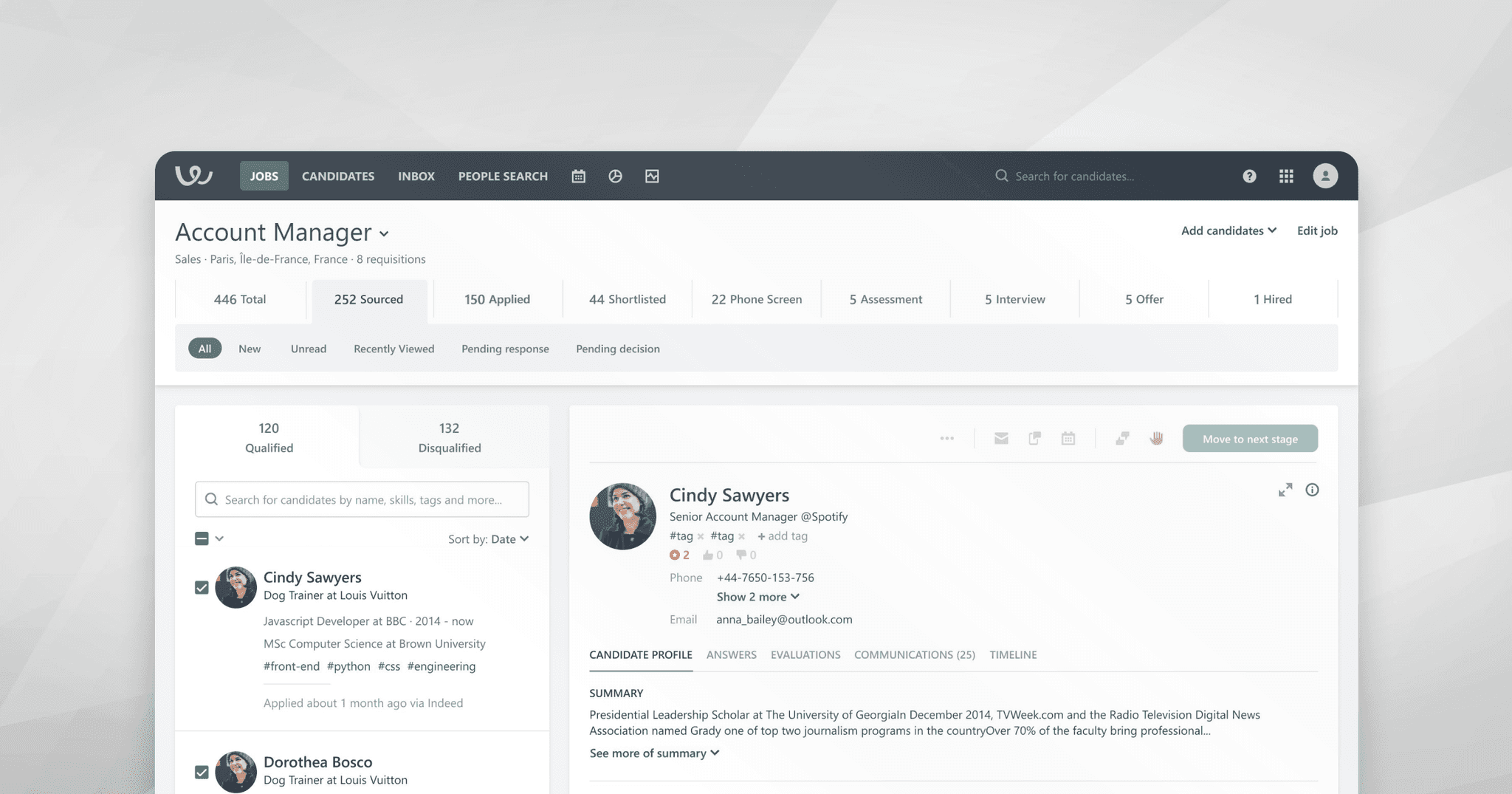
Redesigning the Beating Heart of the ATS
Redesigned hiring workflows that delivered 3× faster uploads and 40% quicker recruiter actions.
Workable
HR Tech
SaaS
Workflow Optimization